
At HelloBaby101, we offer honest, expert reviews. Purchasing through our links may earn us a small affiliate commission, but it comes at no extra cost to you.
As a parent, finding the perfect kids tablet can be tricky. You want something that keeps them entertained but also helps them learn, all while being durable enough to handle the occasional drop or sticky finger.
This guide brings you the best kids tablets that balance fun, education, and safety. Whether you’re looking for a budget friendly starter tablet or an advanced learning tool, I’ve got you covered with quick picks, detailed reviews, and expert buying tips.
According to the NHS, screen time should be balanced with active play, rest, and family time. Choosing a tablet designed for children ensures better parental controls, age appropriate content, and peace of mind.
Top Kids Tablets Comparison Table
| Product | Key Features | Price Range | Why I Recommend It |
| Amazon Fire 7 Kids | 7” display, kid proof case, 2 year warranty | £60–£80 | Perfect for younger kids, safe and affordable |
| Apple iPad 10th Gen | 10.9” Retina display, A14 chip, Apple Pencil support | £400–£500 | Best for long term use and learning apps |
| Amazon Fire HD 8 Kids Pro | 8” HD display, faster processor, parental dashboard | £110–£130 | Ideal for older kids who want more speed |
| Amazon Fire HD 8 Kids | 8” HD screen, 13 hour battery, durable case | £100–£120 | Great balance between fun and functionality |
| Apple iPad Mini (2024) | Compact, A15 Bionic chip, Apple Pencil 2 support | £450–£550 | Perfect for older kids and teens |
| Apple iPad (2022) | 10.2” Retina display, A13 chip, great for school apps | £300–£400 | Reliable all rounder for learning and play |
| Pebble Gear Disney 7” | Disney themes, parental controls, no ads | £90–£110 | Fun and safe tablet for preschoolers |
How I Picked These
When I was choosing the best kids tablets, I focused on safety, durability, learning potential, and value for money.
All tablets here include strong parental controls, kid friendly designs, and access to educational apps. I also considered real parent feedback, ensuring every pick is both practical and well loved in UK homes.
Parent Tip: Choose a tablet with a solid case and built in parental dashboard, it’ll save you from constant worry (and repair costs!).
Best Kids Tablets
Amazon Fire 7 Kids

Compact, affordable, and built for small hands, this tablet comes with a colourful protective case and excellent parental controls. Ideal for toddlers and preschoolers, it’s perfect for safe, first time tech exploration with fun learning apps and Amazon Kids+ content included.
Pros:
• Affordable and sturdy
• Excellent parental controls
• 1 year Amazon Kids+ subscription
Cons:
• Slower performance
• Smaller screen size
Best for: Toddlers and preschoolers.
Personal insight: It’s ideal for first time users, safe, simple, and fun to learn on.
Apple iPad 10th Gen

A powerful, versatile tablet perfect for homework, drawing, and educational apps. With Apple Pencil support, it’s ideal for creative learning and long term use. Best for families seeking one device that grows with their child, offering durability, performance, and access to a wide range of educational tools.
Pros:
• Excellent performance and display
• Long term use for older children
• Wide range of educational apps
Cons:
• Expensive for younger kids
• Requires extra purchase for accessories
Best for: Families wanting one device that lasts from early learning to secondary school.
Personal insight: This stood out for its balance of durability and advanced educational use, it’s a future proof choice.
Amazon Fire HD 8 Kids Pro

A faster, sleeker version of the Fire tablet for older children. Offers smooth performance, safe web browsing, and parental controls for more independent learning. Best for kids aged 7–12 who want freedom while staying protected, combining durability with age appropriate tech features.
Pros:
• Smooth performance
• Web and app control options
• Sturdy case with stand
Cons:
• Limited storage
• Subscription required for full features
Best for: Kids aged 7–12 who are ready for more independence.
Personal insight: It gives children more freedom while keeping safety top priority.
Amazon Fire HD 8 Kids

Durable and easy to use, this tablet is great for younger children. With long battery life and parental controls, it’s perfect for learning, gaming, and watching shows safely. A reliable choice for everyday use and families seeking simplicity and dependability.
Pros:
• Long battery life
• Durable design
• Great parental control system
Cons:
• Average display quality
• Less suitable for older kids
Best for: Younger children and everyday use.
Personal insight: This one is perfect for learning, gaming, and watching shows safely.
Apple iPad Mini (2024)
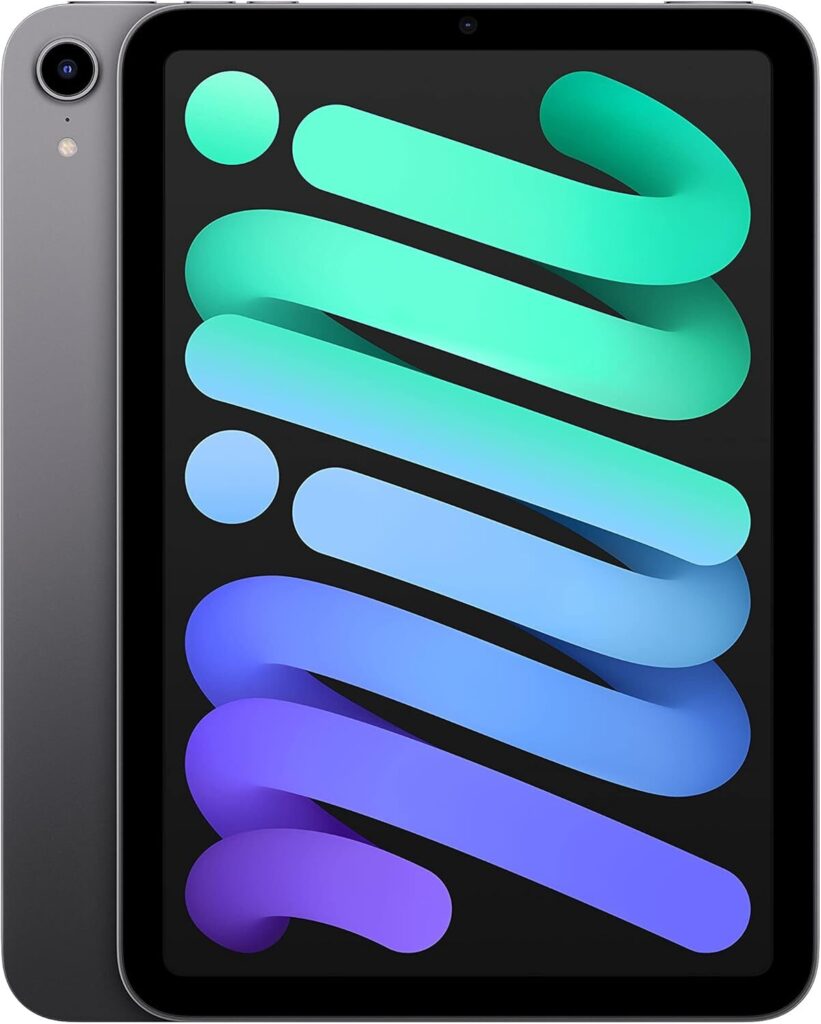
A premium, compact tablet ideal for older kids and teens. Lightweight yet powerful, it handles school projects, creative apps, and coding tasks effortlessly. Best for tech savvy learners and families wanting portability without sacrificing performance or app compatibility.
Pros:
• Exceptional performance
• Compact and lightweight
• Great app compatibility
Cons:
• Pricey for younger users
• Fragile without a good case
Best for: Older kids, teens, and tech savvy learners.
Personal insight: It’s the ultimate small tablet that bridges fun and serious learning.
Apple iPad (2022)
A dependable, budget friendly iPad supporting educational apps, games, and videos. Its large, clear display and long battery life make it perfect for primary school children, combining value, reliability, and versatile learning and entertainment options.
Pros:
• Excellent battery life
• Large, clear screen
• Great for schoolwork and creativity
Cons:
• Heavier than other models
• Lacks some premium features
Best for: Primary school children and families wanting Apple reliability.
Personal insight: Offers a great mix of value and quality, a classic all rounder.
Pebble Gear Disney 7” Tablet

Designed for little hands, this Disney themed tablet offers ad free content, safe browsing, and preloaded games. Ideal for preschoolers and early learners, it introduces kids to tech in a secure, fun, and engaging way, making learning and play worry free for parents.
Pros:
• Ad free and safe
• Disney themes and stories
• Parental control panel
Cons:
• Limited app selection
• Slower compared to premium tablets
Best for: Preschoolers and early learners.
Personal insight: Perfect introduction to tech, educational, fun, and secure.
Pro Tip: Always set daily screen limits using built in parental tools. Consistent routines make screen time more productive and less stressful.
Buyer’s Guide – What to Look for in a Kids Tablet
When I was choosing a tablet for my child, I quickly realised it’s not just about the specs, it’s about finding the right balance between learning, fun, and peace of mind.
Here’s what you should consider before buying:
- Age Suitability: Younger kids do better with simple interfaces and sturdy builds.
- Parental Controls: Look for tablets that allow you to manage screen time, apps, and content.
- Durability: Kid proof cases and warranty support are essential.
- Battery Life: Anything under 8 hours can become frustrating during travel or study sessions.
- Educational Apps: Opt for tablets that offer learning friendly content rather than pure entertainment.
Expert Tip: The NHS recommends screen free time before bed to promote better sleep and focus during the day. Create a “tech wind down” routine at home.
Safety / Extra Tips
Always supervise young children’s screen use. Keep brightness moderate and encourage regular breaks every 20 minutes.
FAQs
1. What is the best tablet for kids under 5?
The Amazon Fire 7 Kids is perfect, affordable, durable, and filled with pre approved learning content.
2. Can kids use regular iPads safely?
Yes, as long as parental controls are enabled and age appropriate apps are chosen.
3. Are tablets bad for children’s eyes?
Not if screen time is balanced and brightness is kept at a comfortable level, according to NHS guidance.
4. What’s the best educational tablet for school age children?
The Apple iPad 10th Gen or iPad 2022 are great for older kids using apps like Khan Academy Kids and Google Classroom.
Conclusion
Every tablet in this list has its strengths, but if I had to pick one all rounder, it would be the Amazon Fire HD 8 Kids Pro, smooth performance, versatile, and built to last through years of learning and creativity.
Choosing the right kids tablet can feel overwhelming, but hopefully, this guide makes the decision easier and helps you pick confidently for your little learner.